A filter editor for a digital camera.
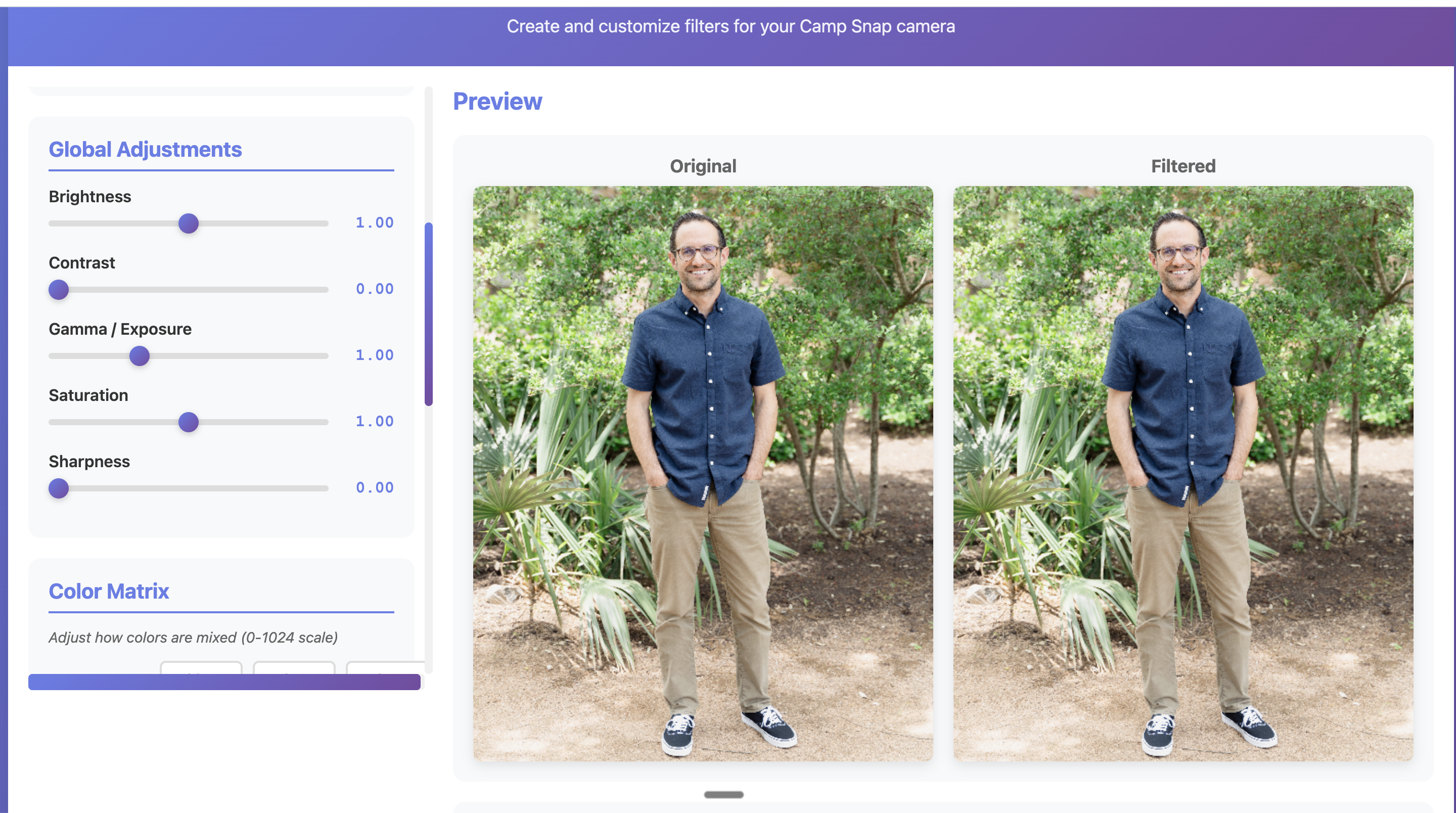
A web-based tool for creating and customizing color filters for the Camp Snap camera — adjusting global parameters, color matrices, and tone curves in real time.
Film looks for a digital camera.
Camp Snap makes a simple, screen-free digital camera designed for kids and adults who want to shoot without the distraction of a phone. The camera supports custom color filters — .flt files that control how the sensor data gets processed into a final image.
The problem: creating those filters required editing raw parameter files by hand. No preview, no feedback loop. I built a web tool that lets you adjust every parameter visually with instant before/after previews.
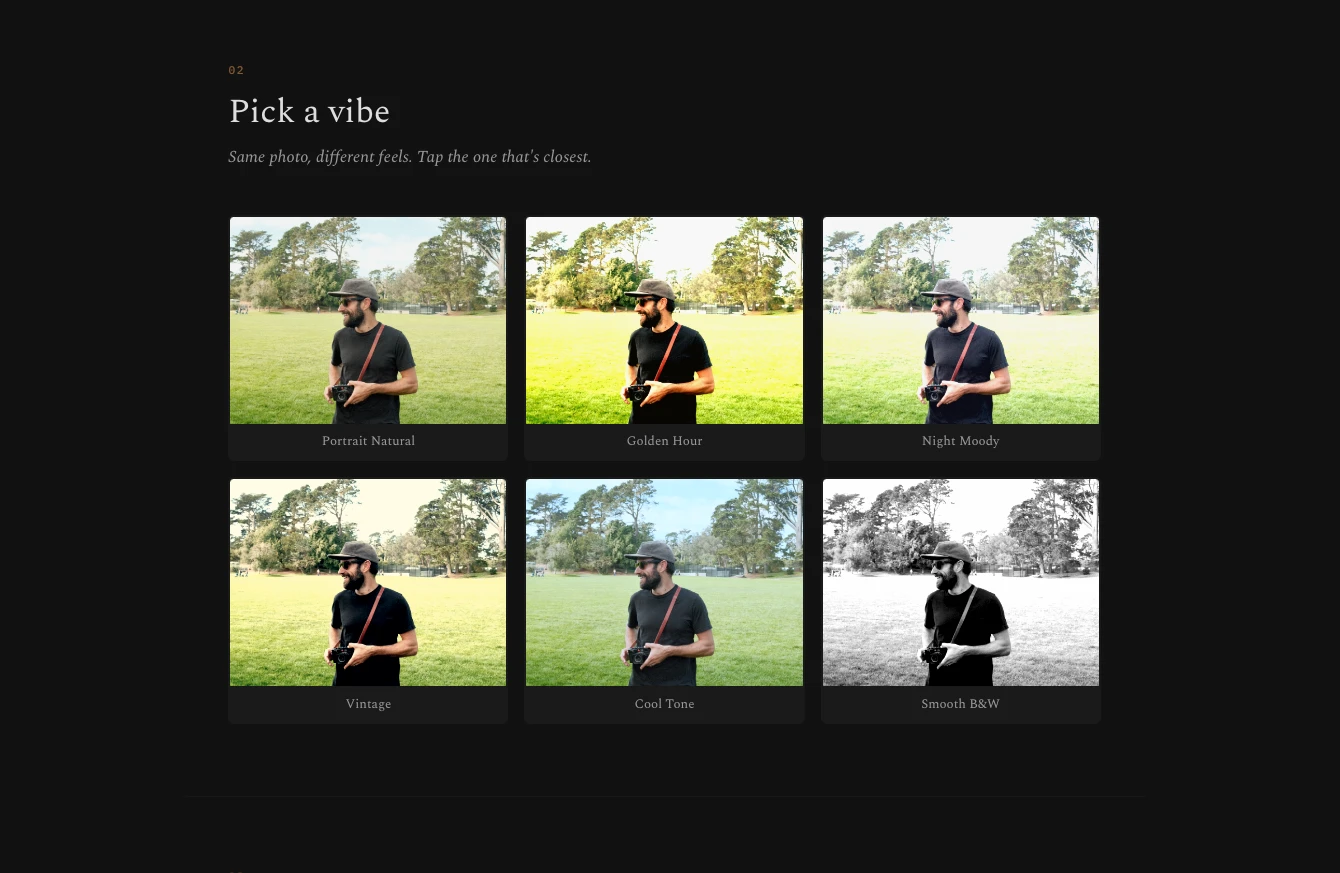
Start with a preset, then make it yours.
The workflow begins with a grid of starting points — Portrait Natural, Golden Hour, Night Moody, Vintage, Cool Tone, Smooth B&W. Same photo, six different feels. Tap the one that's closest to what you want, then move on to fine-tuning.
This was a deliberate design decision. Exposing raw parameters first overwhelms people. Starting from a recognizable mood — and showing it applied to their own photo — gives them a foundation to work from.
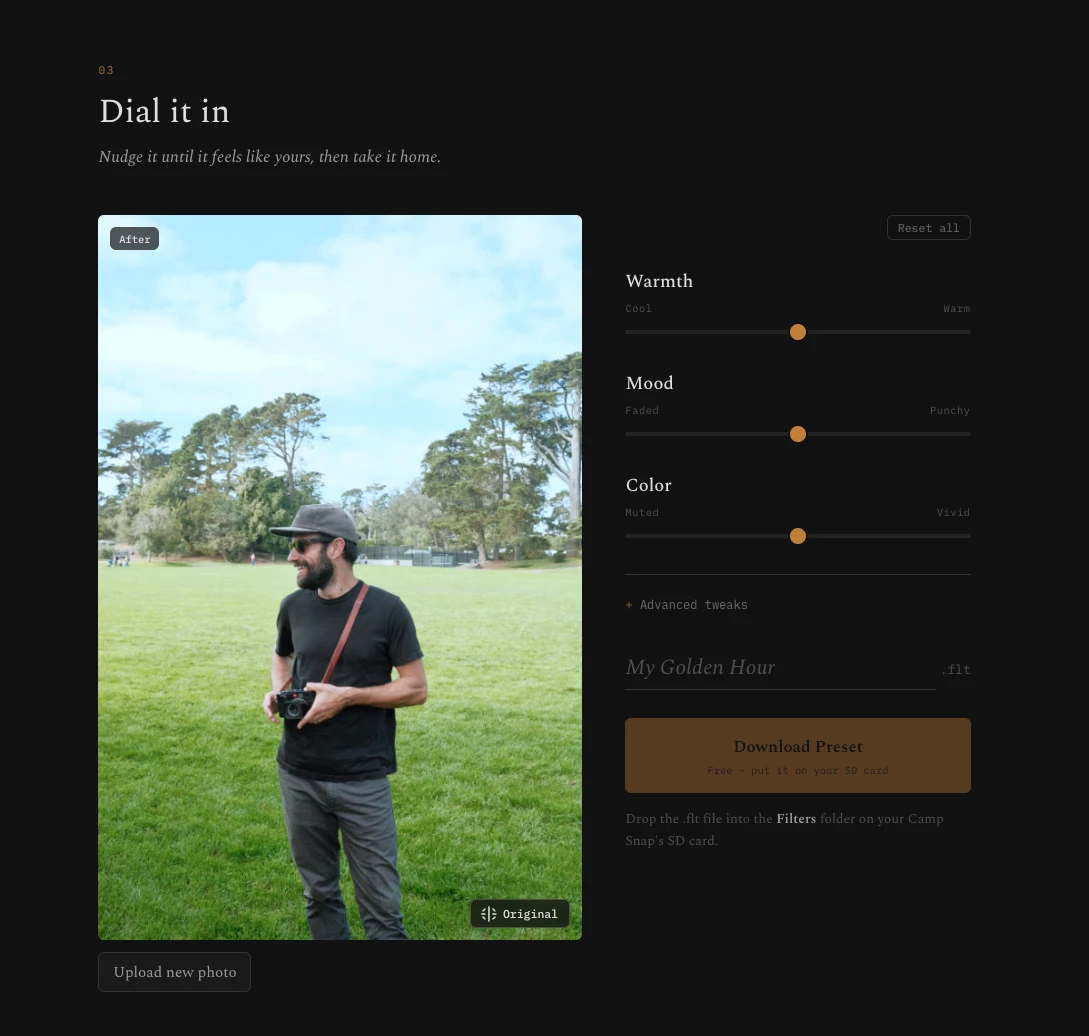
Nudge it until it feels like yours.
Once you've picked a starting point, three sliders — Warmth, Mood, and Color — let you push the look in any direction. An Advanced tweaks panel exposes the full parameter set for people who want that level of control.
The before/after toggle on the preview gives instant feedback. When the look is right, name the filter, download the .flt file, drop it on the camera's SD card, and shoot.
Product thinking applied to a personal project.
This project came from my photography background meeting my product instincts. The Camp Snap community was sharing filter files on forums with no way to preview them. The editing workflow was: change a number, load the file, take a test photo, check on a computer, repeat. That cycle could take an hour per adjustment.
The filter editor collapses that loop to seconds. It's the same kind of workflow improvement I look for in product work — find where people are spending time on mechanics instead of decisions, and remove the mechanics.